How to Build a Personal Wiki Knowledge Base: Andrej Karpathy's Pattern with SiliconFlow & OpenCode
目录

Andrej Karpathy's llm-wiki Gist hit 5,000+ stars within weeks and developers finally saw a solution to a problem they had for a long time: information everywhere, nothing organized. Here's how it works: feed raw documents into an LLM, have it compile everything into an interlinked wiki of markdown files, and use Obsidian to browse and query the result. The LLM writes and maintains the wiki; you just supply sources and ask questions. Knowledge compounds every time you use it.
In this guide, we'll walk you through how to build your own Karpathy-style Wiki Knowledge Base with OpenCode and SiliconFlow. OpenCode is the agent that does the actual work — browsing the web via Chrome, extracting content, and writing structured markdown into your Obsidian vault. The oh-my-openagent plugin makes OpenCode smarter: instead of using one model for everything, it routes each task to the model best suited for it — fast models for extraction, strong reasoners for analysis, long-context models for compilation. All of these models run through SiliconFlow, giving you access to 200+ frontier models — DeepSeek V4 series, GLM-5.1, Kimi K2.6, and more — with a single API key.
Prerequisites
Before you begin, ensure you have:
SiliconFlow account: https://cloud.siliconflow.com/
Your SiliconFlow API Key: https://cloud.siliconflow.com/account/ak
OpenCode installed & configured: How to Use OpenCode with SiliconFlow APIs
Obsidian installed (free, for viewing and navigating your wiki): https://obsidian.md/
Step 1: Give Your Agents the Right Models
oh-my-openagent is a plugin that transforms OpenCode from a single-model assistant into a multi-agent development team. It provides specialized discipline agents — each tuned for a different type of cognitive work:
Agent | Role | Recommended model | Note |
|---|---|---|---|
sisyphus / prometheus / atlas | Orchestration, planning. Communicative models. | Claude-like family — safe swap | |
hephaestus / oracle / momus | Deep autonomous work, complex reasoning. Principle-driven. | Do not use Kimi/GLM here | |
explore / librarian | Fast search, documentation retrieval. | High-reasoning models are overkill | |
multimodal-looker / visual-engineering | Visual tasks, frontend, multimodal. | VLM models |
When you submit a task, Sisyphus delegates subtasks to the right agent, and each agent uses the model best suited for its work — without manual juggling.
For more details, please refer to oh-my-openagent official document: https://omo.dev/docs
Installation
Open your OpenCode and paste the following prompt:
Or read the full Installation Guide for manual setup, provider authentication, and troubleshooting.
Configuration
Then edit ~/.config/opencode/oh-my-openagent.jsonc to wire each agent to a model. Here's a recommended configuration:
Step 2: Initialize Your Wiki in Obsidian
Once the oh-my-openagent plugin is installed, type ultrawork (or ulw for short) to activate Ultra Work mode and you're ready to build your wiki knowledge base in Obsidian.
Open OpenCode and tell it:
ulw Build me a personal wiki knowledge base in Obsidian following Andrej Karpathy's wiki knowledge base concept (reference: https://gist.github.com/karpathy/442a6bf555914893e9891c11519de94f).
OpenCode, powered by oh-my-openagent, will research your sources and then create the scaffolding — folders for entities, concepts, and raw sources; an index that links everything together; and entry templates with fields for summaries, tags, and source URLs. You don't need to design the structure yourself.
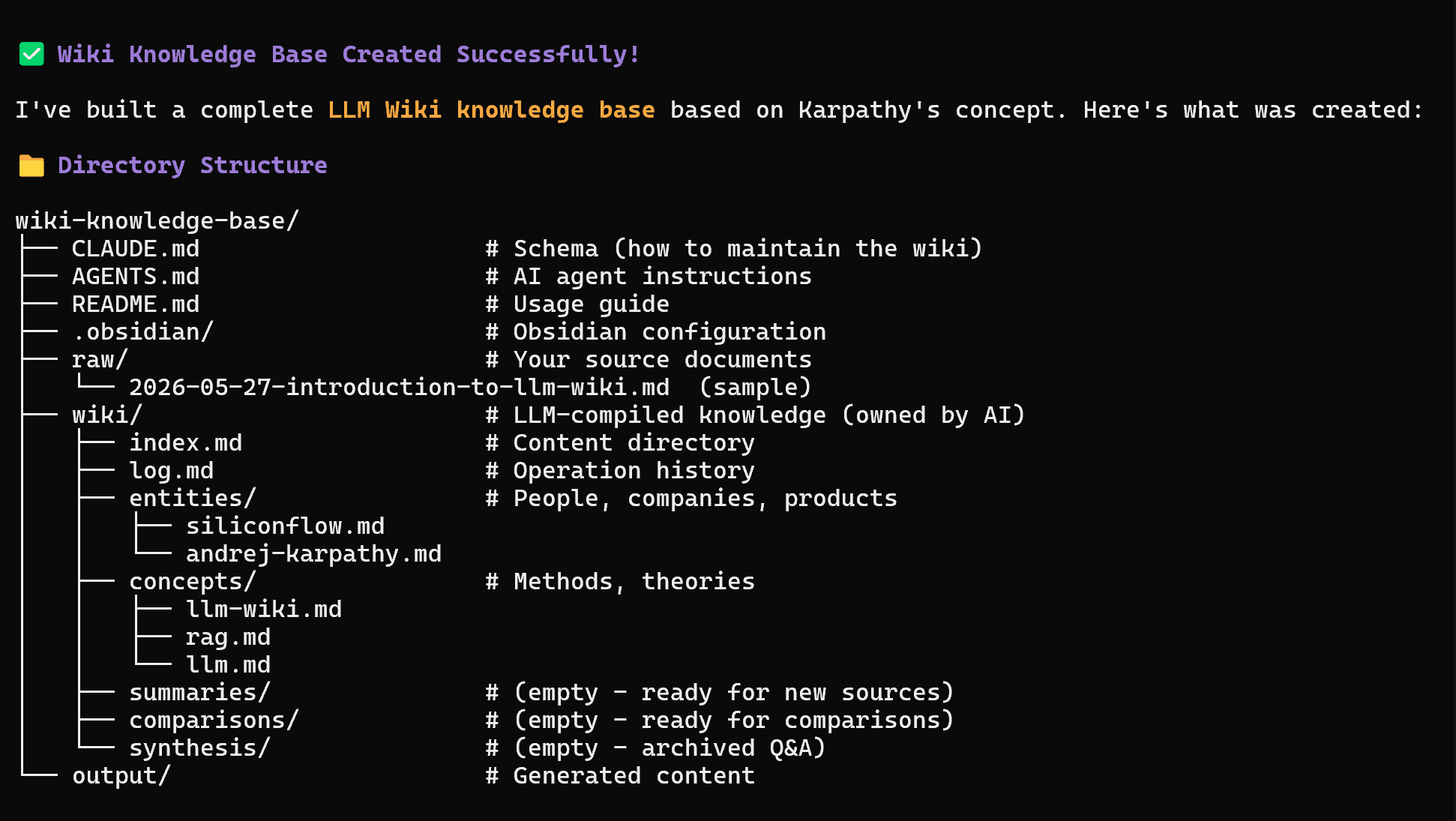
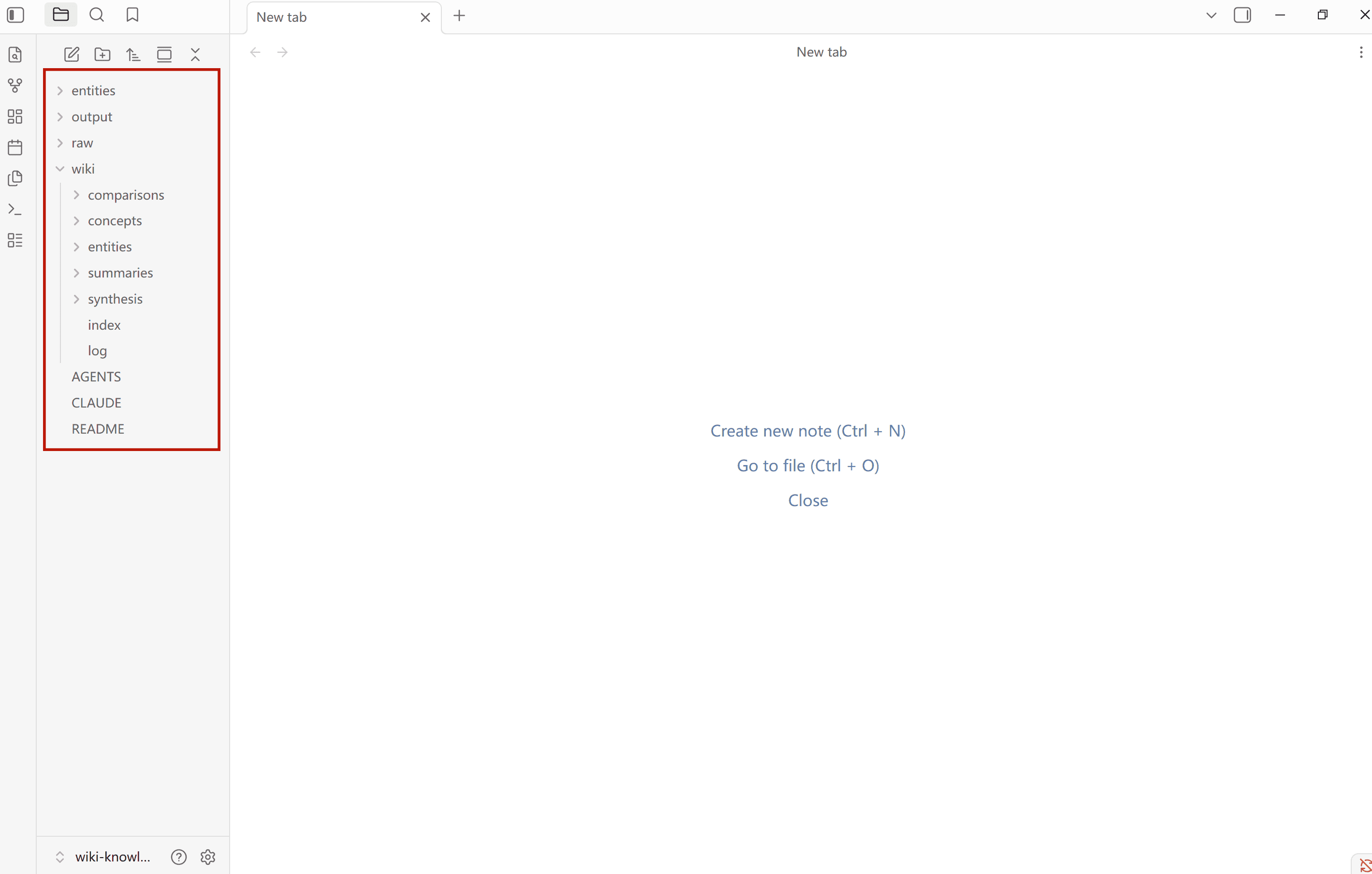
Open the generated folder in Obsidian (File > Open Folder as Vault) and you'll see the full wiki structure. To populate it, drop your source files into the raw folder — or let OpenCode do that for you. In the next step, we'll show you how to use OpenCode's browser automation to make the entire data collection and analysis pipeline hands-off.
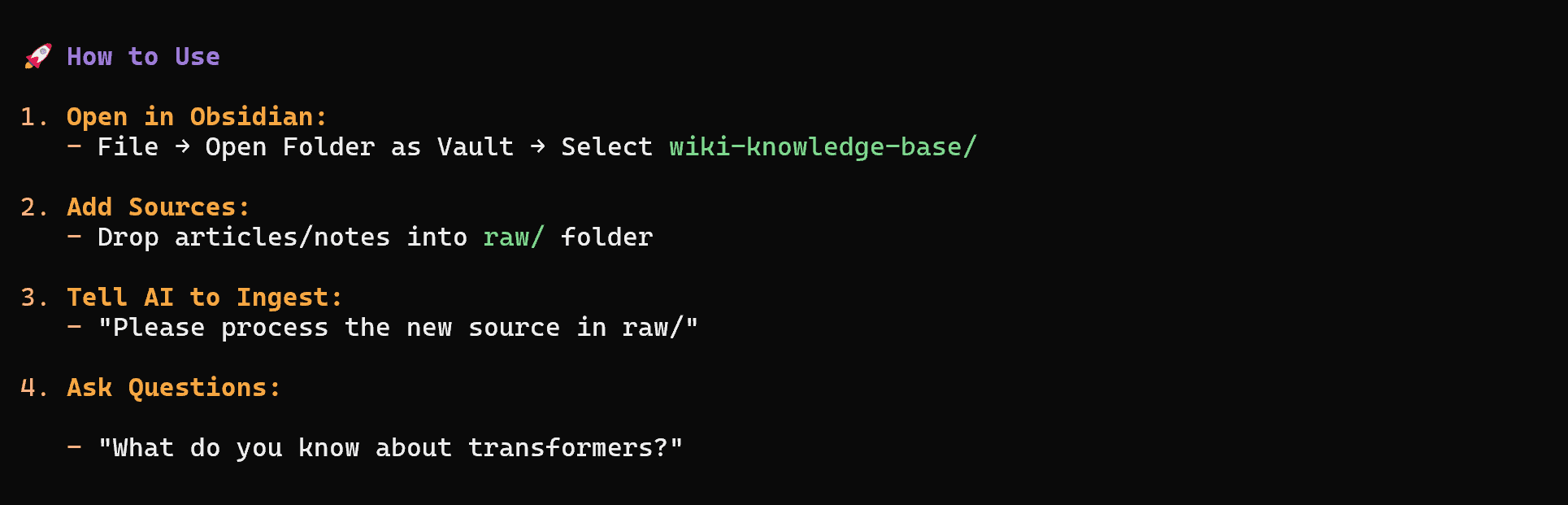
Step 3: Let OpenCode Browse for You
This is where the pipeline gets interesting. Because Chrome exposes the Chrome DevTools Protocol (CDP), OpenCode can launch a browser in debug mode and take control of it — browsing pages, clicking through navigation, and reading the content just like you would manually.
Tell OpenCode:
Launch Chrome in debug mode and browse
the sites you want to visit. Exploreyour key topics, compile your findings, and save the source material to the raw/ folder in my wiki knowledge base. Then ingest the sources in raw/ — extract the key entities, concepts, and summaries, and create wiki entries for each with cross-links between related pages.
OpenCode will open the browser, navigate the page, and take notes. Once it's done reading, it saves the content as raw source material in your wiki vault. You can do this for as many sources as you want. You can also skip the browser entirely and just drop existing files — notes, PDFs, articles — directly into the raw/ folder.
Then, it identifies entities (companies, models, APIs), extracts concepts (RAG, MoE architecture, token pricing), writes summaries, and builds cross-links between entries. Everything gets written into your Obsidian vault as structured markdown files.
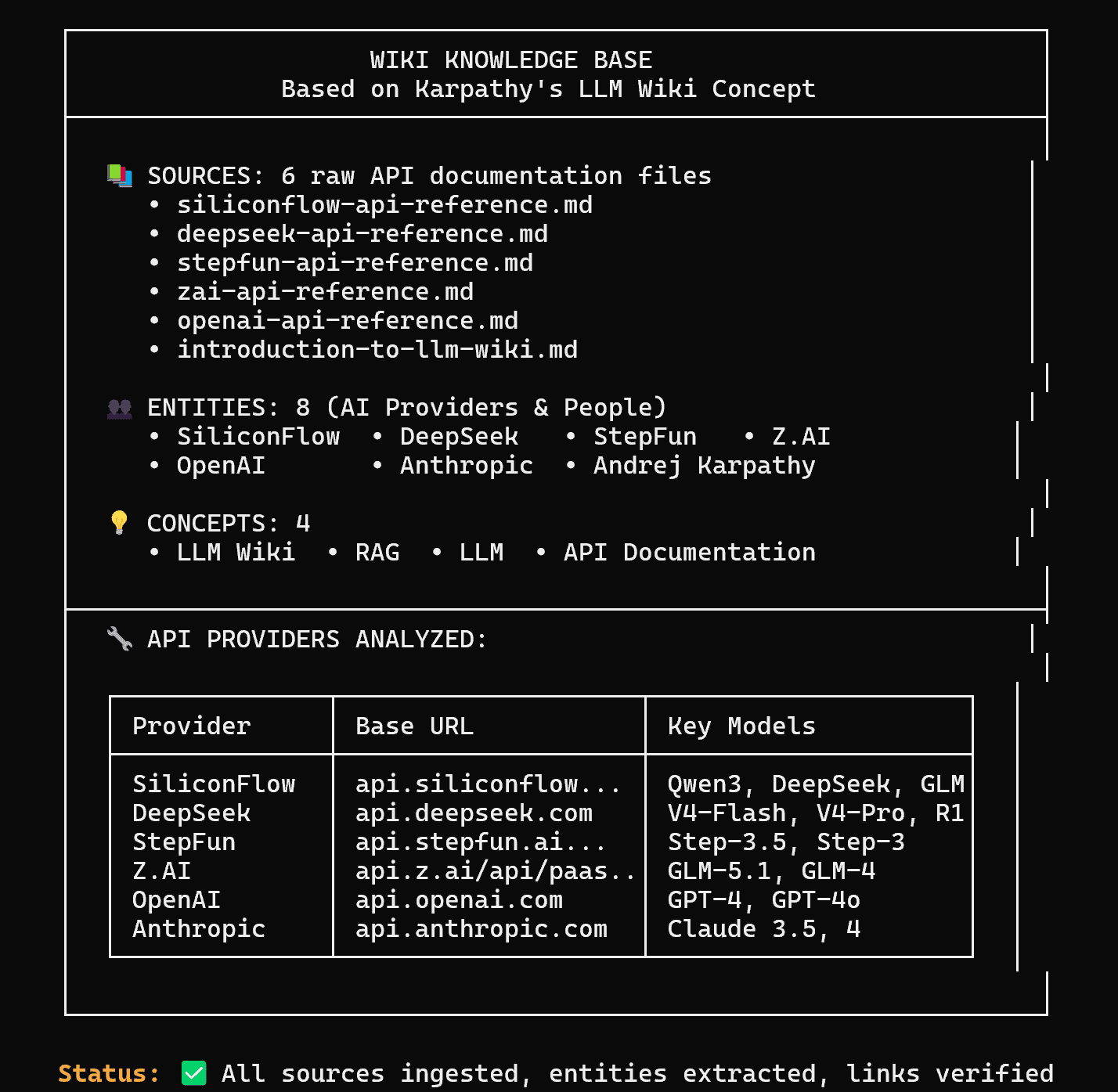
Here's What You Get
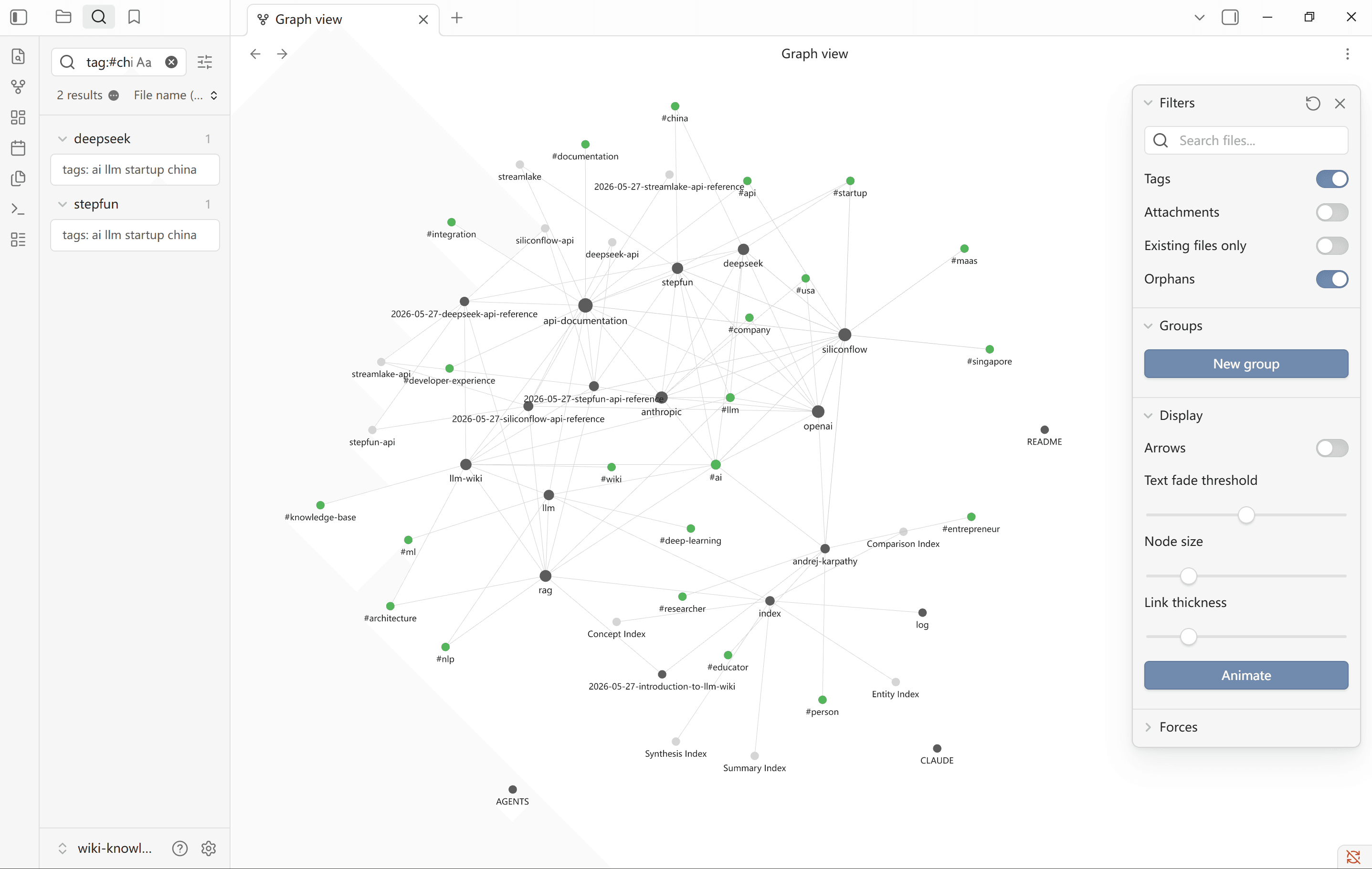
Press Ctrl+G / CMD+G in Obsidian to open Graph View.
This is what the wiki looks like after processing documentation from SiliconFlow, DeepSeek, Stepfun, and Z.ai — along with a few background research entries on Andrej Karpathy. Every node is an entry. Every line is a connection the AI found. The knowledge base didn't just store the content; it understood the relationships.
Your Wiki Grows With You
The loop is simple:
Come across something worth keeping — a useful project, an insight, a rabbit hole you want to revisit
Tell OpenCode to go read it
It becomes part of your wiki
Next time you're curious about the same topic, you already know more
Once the wiki reaches critical mass, you can ask OpenCode complex questions against it — and it will go research, cross-reference, and synthesize answers from everything you've accumulated. Karpathy called this the point where things "get interesting." Your curiosity compounds.
Resources
Andrej Karpathy's llm-wiki
OpenCode
Website: https://opencode.ai
Documentation: https://opencode.ai/docs
oh-my-openagent
Website: https://omo.dev
Docs: https://omo.dev/docs
SiliconFlow
Website: https://siliconflow.com
API Documentation: https://docs.siliconflow.com
Model Library: https://siliconflow.com/models