목차

You can connect Claude Code to DeepSeek V4 Pro by directing its Anthropic-format requests to SiliconFlow, loading a SiliconFlow API key, and selecting deepseek-ai/DeepSeek-V4-Pro-0813. Test the model through SiliconFlow’s Messages endpoint before saving the configuration because availability can differ between the Anthropic-compatible and OpenAI-compatible API surfaces.
Before You Start: Access, Compatibility, and Existing Settings
You need:
A SiliconFlow account and API key
Claude Code installed locally
A Bash terminal on macOS, Linux, or Windows Subsystem for Linux
Access to deepseek-ai/DeepSeek-V4-Pro-0813
Create a key in the SiliconFlow API key console. The current DeepSeek-V4-Pro-0813 deployment supports serverless inference and tool calling, which Claude Code needs when it reads files, executes commands, or edits a project.
Check your Claude Code installation:
If you used Claude Code’s native installer, update it with:
Homebrew, WinGet, npm, and Linux package-manager installations should be updated through the same package manager used for installation. If Claude Code is not installed, the native macOS, Linux, and WSL command is:
The Claude Code installation guide provides the current commands for other platforms and package managers.
Claude Code may already have provider or model settings in your shell. Check the non-secret values before continuing:
The commands below use a temporary Bash session. When you exit that session, your previous shell variables remain unchanged:
Claude Code is maintained for Anthropic models. SiliconFlow provides an Anthropic-compatible API for connecting other supported models, but compatibility may change when Claude Code introduces new request fields or agent features. Anthropic’s gateway documentation does not provide official support for routing Claude Code to non-Claude models.
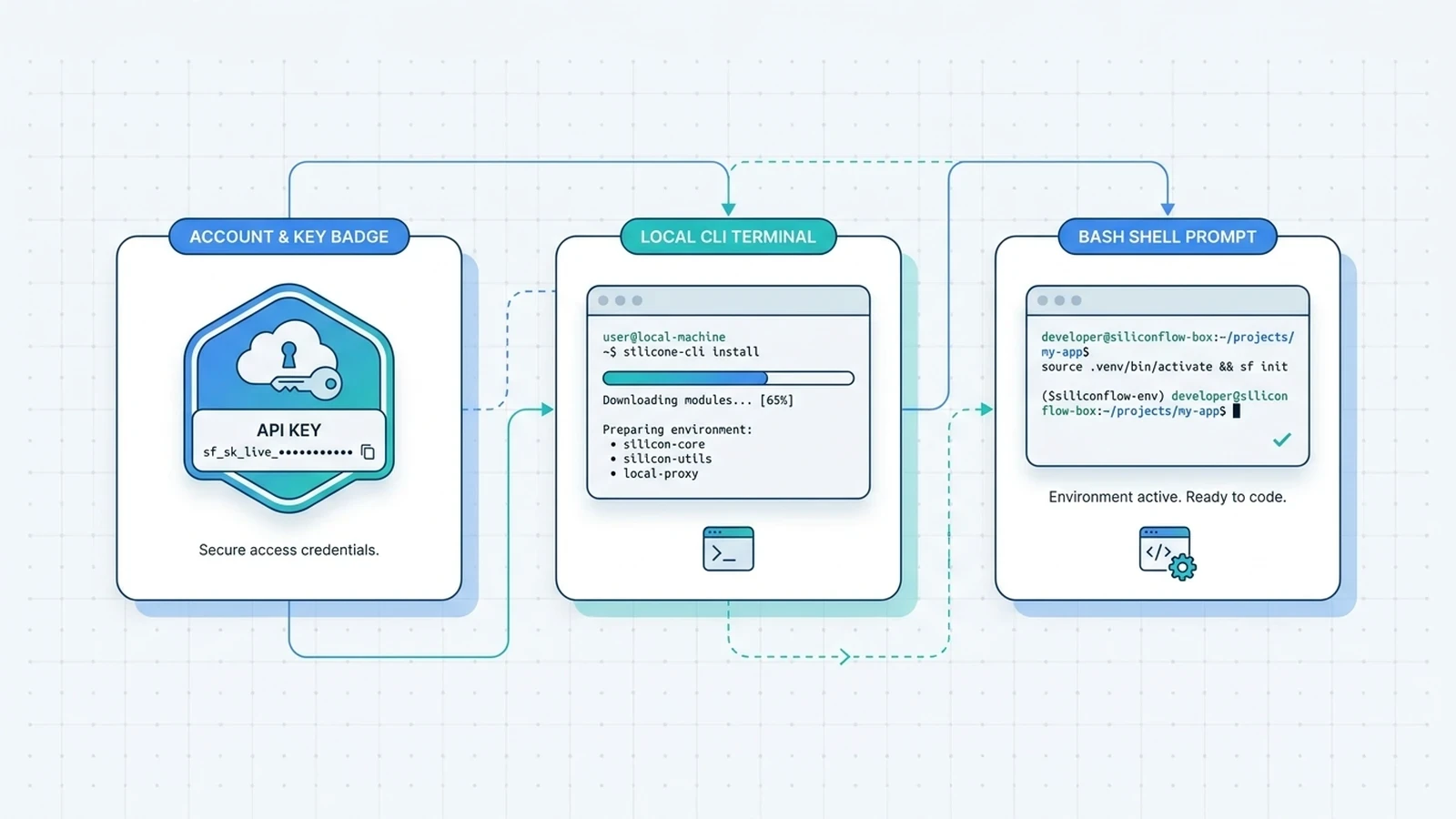
Step 1: Configure SiliconFlow Authentication and Endpoint
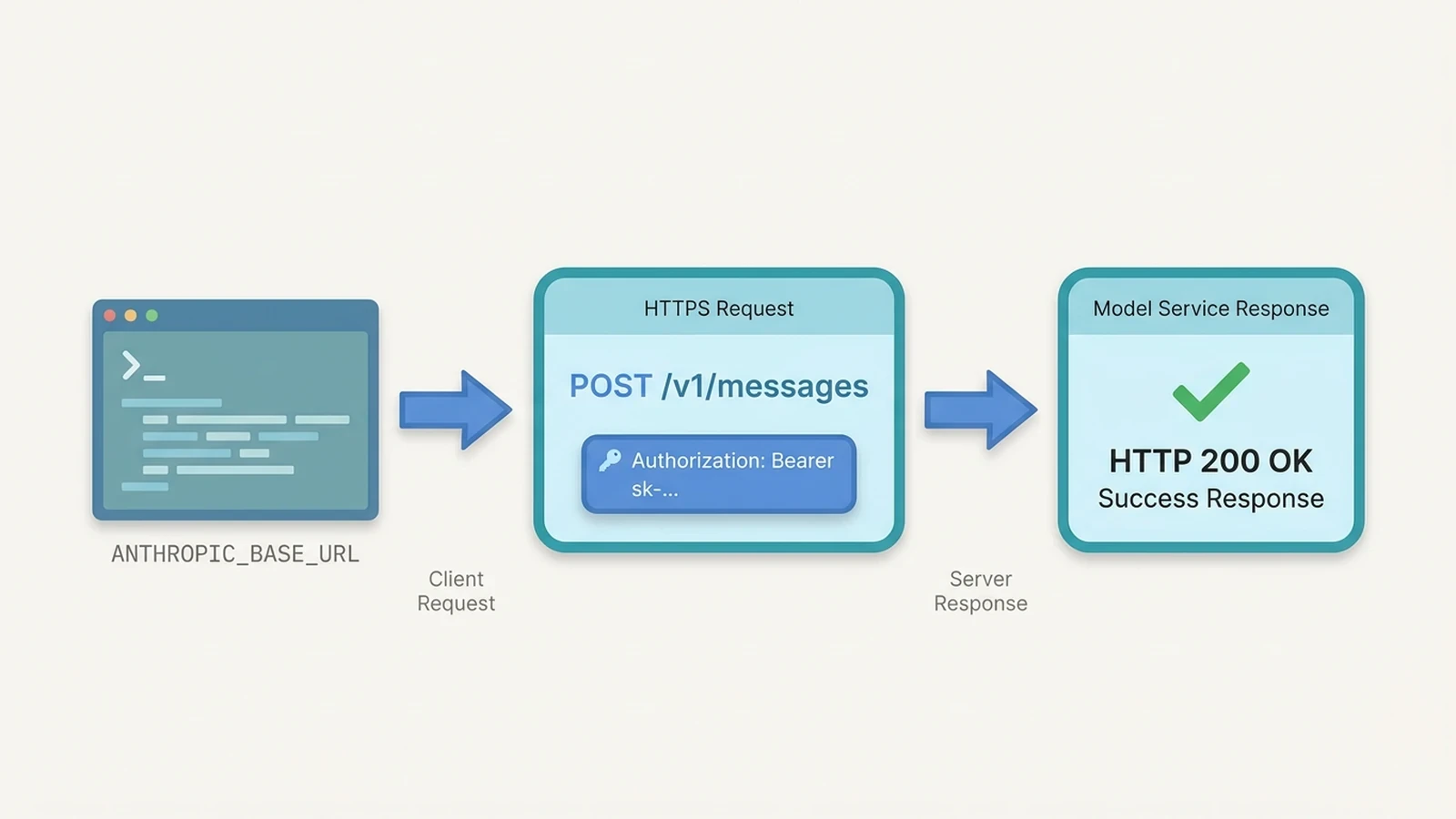
Set the SiliconFlow host without /v1:
Claude Code appends /v1/messages when it sends a request. Including /v1 in ANTHROPIC_BASE_URL can result in an incorrect path such as /v1/v1/messages. SiliconFlow’s Messages API uses bearer-token authentication. Enter your key without displaying it:
This command is written for Bash. It stores the key only in the current shell session.
The credential variable determines which HTTP header Claude Code sends:
Variable | Header Sent by Claude Code |
|---|---|
ANTHROPIC_AUTH_TOKEN | Authorization: Bearer <token> |
ANTHROPIC_API_KEY | x-api-key: <key> |
SiliconFlow’s general Claude Code setup guide uses ANTHROPIC_API_KEY, while the current Messages endpoint documents bearer authentication. This setup uses ANTHROPIC_AUTH_TOKEN so the credential reaches the endpoint in the documented Authorization: Bearer header.
Test authentication and model availability before starting Claude Code:
Continue when the request returns HTTP 200 and a response containing an assistant content field. This confirms that the key works and that DeepSeek V4 Pro is available through the Messages API for your account.
A model not found or unsupported-model response means the key and endpoint may be valid while this model is not yet exposed through that API surface. Claude Code requires the Messages endpoint, so access through /v1/chat/completions alone is insufficient for this setup.
Step 2: Select and Map the DeepSeek V4 Pro Model
Set the current official model ID:
The earlier model string:
refers to the preview release. New configurations should use the -0813 model ID. ANTHROPIC_MODEL controls the main Claude Code session. Claude Code can also use model aliases for background operations or when a user selects opus, sonnet, haiku, or fable. If those requests produce unsupported claude-* model errors, map the aliases to DeepSeek V4 Pro:
These mappings are optional for the initial connection. They make every mapped operation use DeepSeek V4 Pro, including lightweight background requests.
Use the SiliconFlow model ID exactly as written. Do not append Claude Code’s [1m] suffix:
The context limit is determined by the SiliconFlow deployment. Adding an unrecognized suffix changes the API model string and may cause a model-selection error.
Step 3: Verify the Connection with a Small Coding Task
Start Claude Code from the same Bash session:
Run the following command inside Claude Code:
Confirm that the status screen shows:
api.siliconflow.com as the Anthropic base URL
ANTHROPIC_AUTH_TOKEN as the credential source
deepseek-ai/DeepSeek-V4-Pro-0813 as the selected model
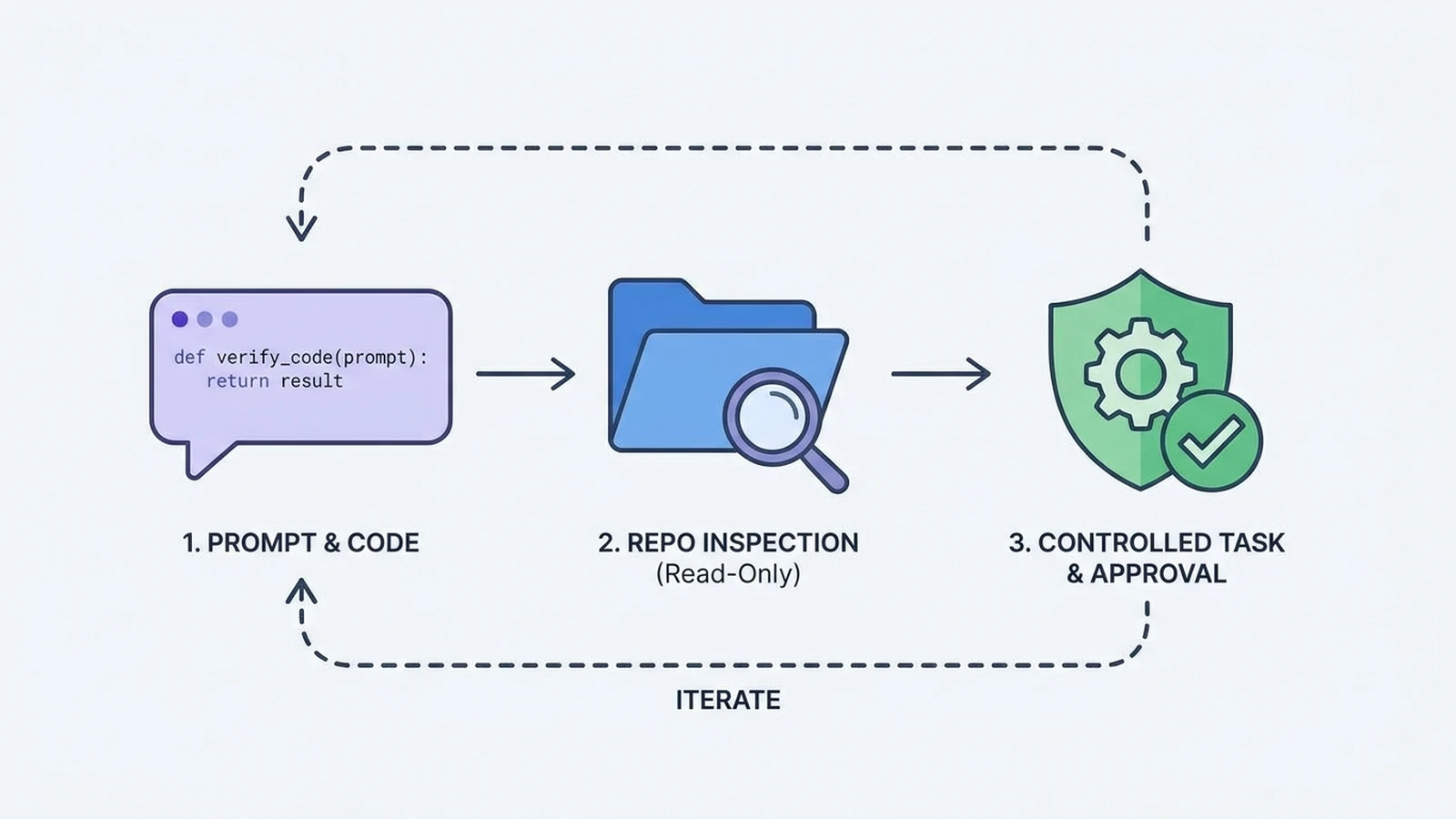
Next, test a small coding request without file access:
A normal response confirms that Claude Code can send prompts through SiliconFlow and receive code from the selected model.
Then test one read-only repository action:
If that succeeds, move to a controlled tool task:
This sequence distinguishes basic API connectivity from repository reading and tool use. Test edits in a disposable branch and review generated changes before accepting them.
Troubleshoot Authentication, Model Selection, and Tool Errors
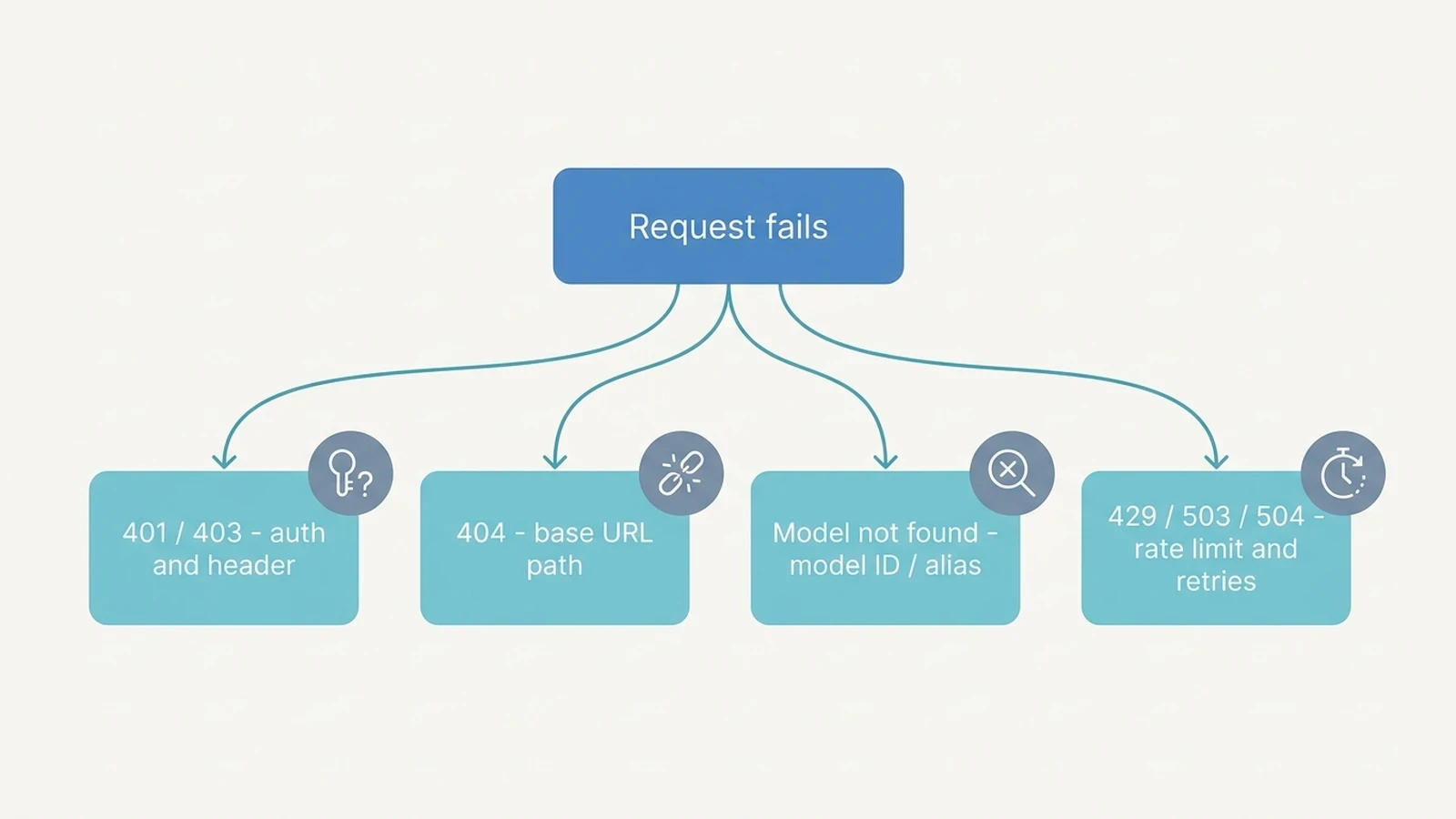
If the direct cURL request works but Claude Code fails, authentication and model availability are probably healthy. Check /status, model mappings, Claude Code version, local permissions, and compatibility-related HTTP 400 messages. Avoid diagnosing an API problem from a failed file edit alone. Claude Code can reach the model successfully while a local permission rule prevents Bash, file-writing, or another tool from running.
Symptom | Likely Cause | Fix |
|---|---|---|
401, Unauthorized, or Invalid token | The key is invalid or sent in the wrong header | Use ANTHROPIC_AUTH_TOKEN, regenerate the key if needed, and rerun the cURL test |
Claude Code opens a login screen | The token was not available when Claude Code started | Export the token before launching Claude Code and check /status |
/status shows Anthropic’s default API | The custom base URL was not loaded | Re-export ANTHROPIC_BASE_URL and restart Claude Code from the same shell |
HTTP 404 | The base URL contains an incorrect path | Use https://api.siliconflow.com without /v1 |
Model not found | The model ID is wrong or unavailable through /v1/messages | Use the exact -0813 ID and check the direct Messages request |
A claude-* model appears in an error | An internal model alias was not mapped | Add the optional Opus, Sonnet, Haiku, and Fable mappings |
HTTP 400 names an unfamiliar request field | Claude Code sent a field the compatible endpoint does not accept | Update Claude Code and retry with CLAUDE_CODE_DISABL E_EXPERIMENTAL_BET AS=1 |
The model describes a tool action but does not call the tool | The tool request was unclear or tool behavior failed | Name the file or action precisely and test one tool at a time in a fresh session |
A file edit or command is denied | Local Claude Code permissions blocked it | Review the requested action and approve it only when safe |
A token or rate limit was reached | Reduce parallel sessions or context size and retry later | |
HTTP 503 | The model service is overloaded | Retry with backoff instead of starting several immediate requests |
HTTP 504 | The task exceeded the request time | Limit the repository scope or divide the task into smaller stages |
Switch Back to Your Previous Configuration
If you followed the temporary Bash method, leave Claude Code and exit the temporary shell:
Your original shell environment will remain unchanged.
If you added SiliconFlow variables to ~/.bashrc, ~/.zshrc, or ~/.claude/settings.json, remove only the entries you added. Do not unset or delete an existing ANTHROPIC_API_KEY unless it was created specifically for this SiliconFlow configuration.
Start a new terminal and run:
Use /status to confirm that the SiliconFlow base URL and bearer token are no longer active. If you previously used a Claude account or Anthropic API key, Claude Code can return to that saved authentication method.
Common Questions About DeepSeek V4 Pro in Claude Code
Q1. Do I Need a Claude Subscription to Use DeepSeek V4 Pro in Claude Code?
No. A gateway credential can replace a saved Claude subscription for the local session. Model requests are then associated with the SiliconFlow API key rather than the subscription’s included usage.
Q2. Can I Save the SiliconFlow Configuration Permanently?
Yes. Store non-secret variables in your shell profile or Claude Code user settings. Keep credentials out of committed .claude/settings.json files, and use a protected user-level setting or secret-management tool on shared systems.
Q3. Why Does DeepSeek V4 Pro Not Appear in the /model Picker?
Custom provider model IDs may not appear in Claude Code’s built-in model list. Set the full ID through ANTHROPIC_MODEL or the --model option, then use /status to verify the active model.
Q4. Does This Configuration Work in Claude Code on the Web?
No. Claude Code web sessions use Anthropic-hosted infrastructure and do not inherit a local ANTHROPIC_BASE_URL or ANTHROPIC_AUTH_TOKEN. Use the locally installed Claude Code CLI for this SiliconFlow configuration.