目录
DeepSeek V4 Flash is a strong default model for coding agents that handle frequent, well-scoped tasks: inspecting repositories, generating patches, running tools, fixing localized defects, and summarizing test results. Its combination of agentic post-training, a million-token context window, and low token pricing makes it especially suitable for high-volume development workflows.
That does not mean every coding task should go to Flash. Difficult architectural changes, ambiguous repository-wide refactors, and high-risk production operations may justify routing to a more capable model. The practical decision is whether DeepSeek V4 Flash can meet your quality threshold at a lower cost per successful task.
Coding-Agent Task | Recommended Route |
|---|---|
Repository search and code explanation | DeepSeek V4 Flash |
Localized bug fixes with tests | DeepSeek V4 Flash |
Boilerplate and repetitive code changes | DeepSeek V4 Flash |
Tool-driven investigation with clear success criteria | DeepSeek V4 Flash |
Ambiguous cross-service architecture changes | Evaluate a stronger model |
Security-critical or irreversible operations | Use stronger review and human approval |
Tasks that repeatedly fail validation | Escalate to another model |
What Is DeepSeek V4 Flash Designed to Do?
DeepSeek V4 Flash is the efficiency-focused model in the DeepSeek V4 family. The current DeepSeek-V4-Flash-0731 release retains the model’s mixture-of-experts architecture while strengthening its agentic, coding, and tool-use behavior through additional post-training.
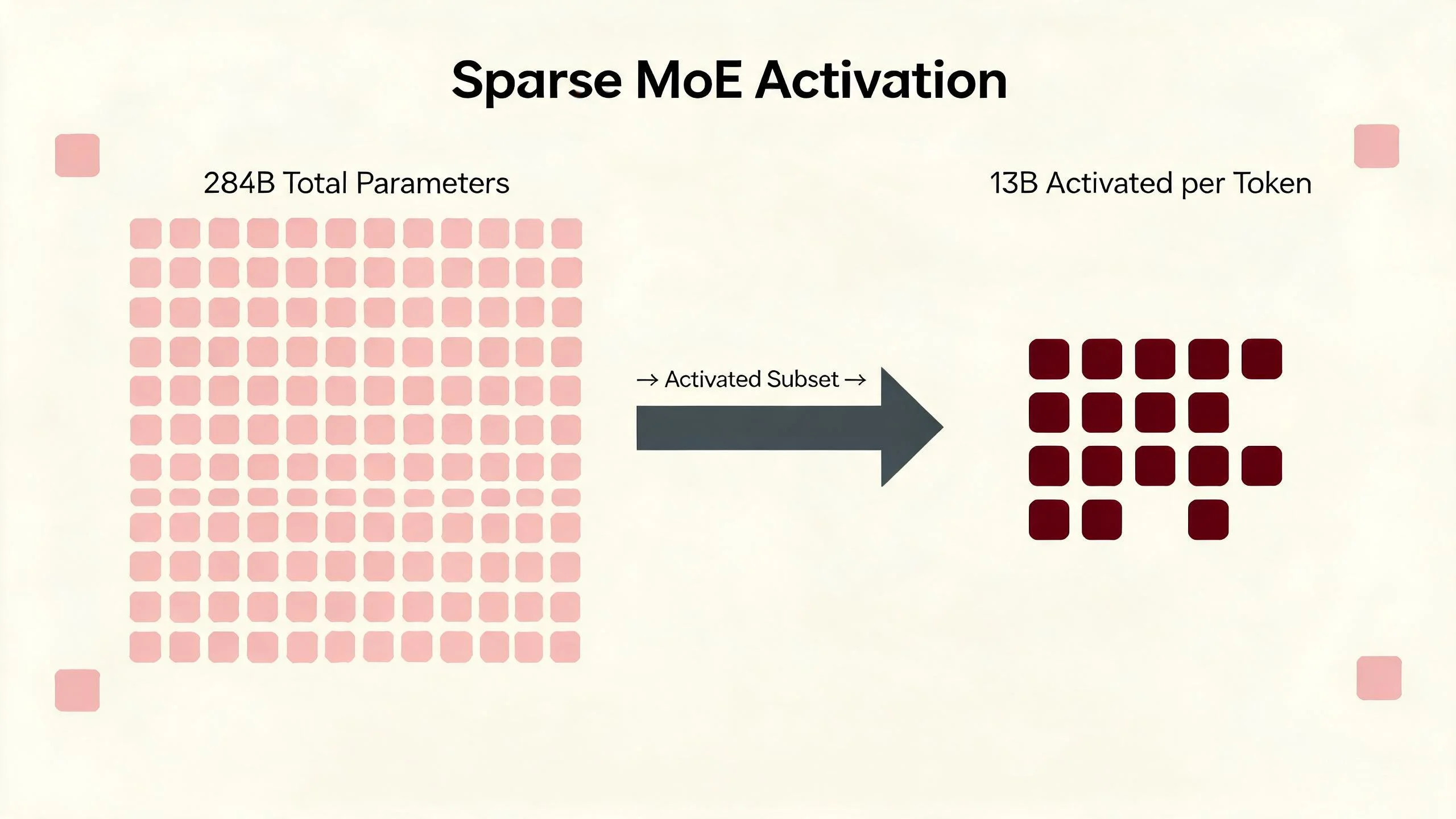
The model contains approximately 284 billion total parameters, with about 13 billion activated during inference. This sparse activation design aims to provide useful coding and reasoning performance without invoking the full parameter set for every token.
The DeepSeek V4 Flash model card reports substantial gains over the preview release on agent-oriented evaluations, including Terminal Bench 2.1, NL2Repo, DeepSWE, CyberGym, and Toolathlon-Verified. These are vendor-reported benchmark results, so they should be treated as evidence for testing the model—not as a replacement for evaluations on your own repositories.
On SiliconFlow, the API model identifier is:
deepseek-ai/DeepSeek-V4-Flash
The DeepSeek V4 Flash model page provides serverless access, a 1,049K-token context window, up to 393K output tokens, JSON mode, tool support, chat prefix completion, and multiple reasoning modes.
The current deployment is text-only text generation model. It does not accept image input, provide embeddings or reranking, or support fill-in-the-middle completion. A coding agent should therefore send source code, stack traces, terminal output, and repository metadata as text.
Which Coding Agent Tasks Fit DeepSeek V4 Flash Best?
DeepSeek V4 Flash coding workflows are strongest when the task can be clearly specified and automatically checked.
Good candidates include:
Explaining unfamiliar modules, functions, and dependencies
Searching a large repository for relevant implementation paths
Generating unit tests from existing interfaces
Fixing localized bugs with reproducible failures
Updating types, schemas, imports, and configuration files
Creating repetitive adapters, serializers, or API clients
Interpreting compiler, linter, and test output
Producing small patches that can be validated automatically
Summarizing diffs, logs, pull requests, or test failures
Selecting and calling tools in a controlled agent loop
The model is particularly useful when the agent can follow a short feedback cycle:
1. Inspect the relevant files.
2. Propose a bounded change.
3. Apply the patch.
4. Run tests or static checks.
5. Review the result.
6. Stop or revise based on machine-verifiable evidence.
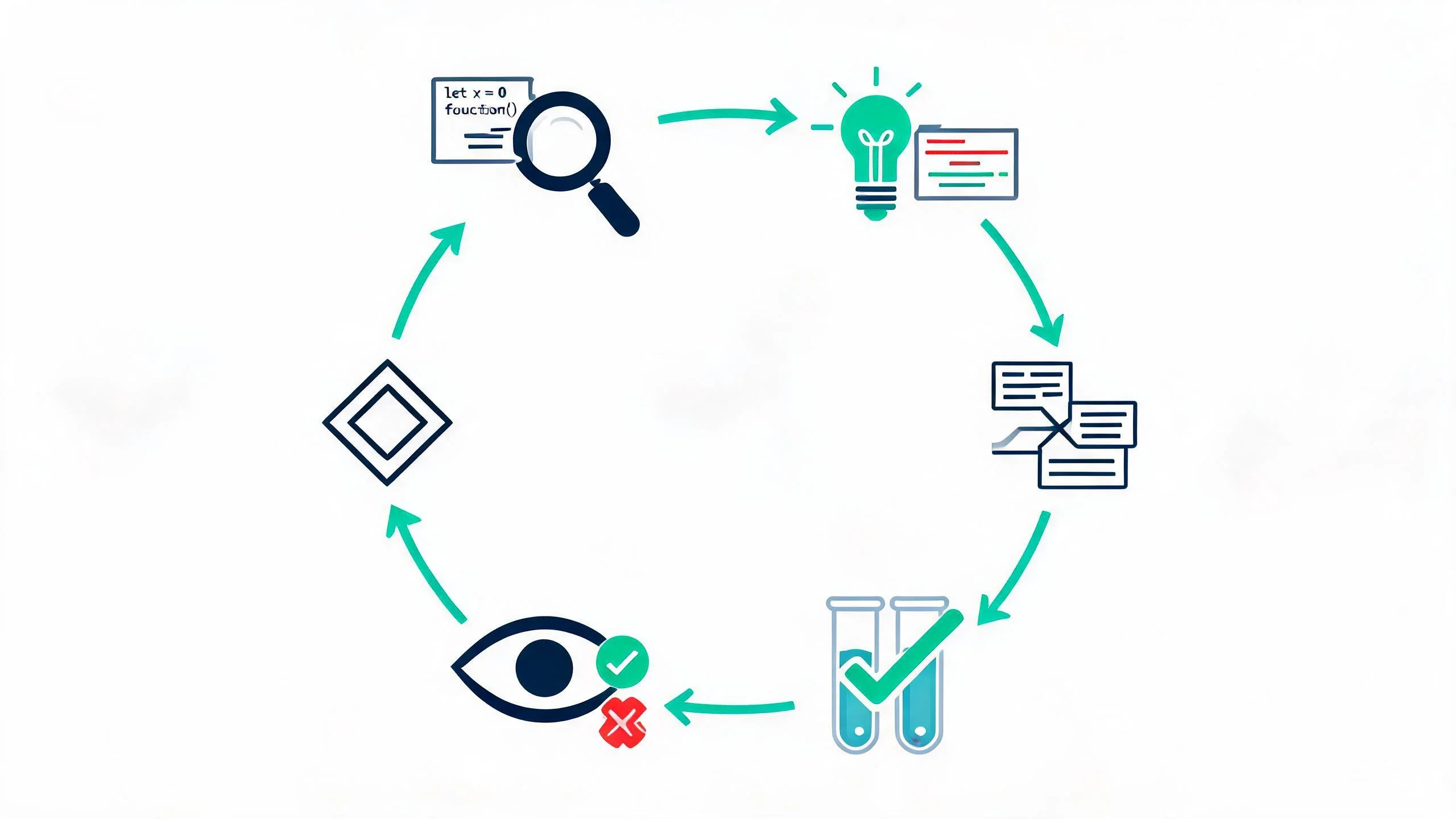
This structure reduces the cost of imperfect first attempts. The model does not need to solve the entire task in one response if the agent can supply test failures and allow it to correct the patch.
Avoid asking for broad outcomes such as “improve this codebase.” Give the agent a target, relevant constraints, permitted tools, and a definition of success. For example:
Fix the failing test_refresh_expired_token test without changing the public authentication interface. Inspect only the authentication module and its tests. Run the targeted test first, then the full authentication test suite.
That prompt establishes scope, preserves an interface, and gives the agent a measurable stopping condition.
How Does DeepSeek V4 Flash Handle Tool Calls and Long Context?
DeepSeek V4 Flash can generate structured tool calls through the SiliconFlow Chat Completions API. This allows a coding agent to request actions such as reading files, searching a repository, running tests, executing a formatter, or inspecting version-control changes.
The model proposes the call, but the agent runtime remains responsible for:
Validating tool names and arguments
Enforcing file and command permissions
Executing the requested operation
Capturing stdout, stderr, and exit status
Returning the result to the model
Requiring approval for sensitive actions
Preventing repeated or destructive tool loops
Tool support does not make a model safe to execute commands without controls. Use allowlists, timeouts, restricted working directories, output-size limits, and explicit approval gates for deployment, deletion, credential, infrastructure, and database operations.
Long context also requires deliberate management. A 1,049K-token window means the model can accept unusually large code inputs, but sending an entire repository is not automatically better than retrieval.
A stronger context strategy is to provide:
A repository map
Relevant symbol definitions
Dependency and call relationships
The failing tests or logs
Files selected through search or retrieval
Recent tool results
A concise record of earlier decisions
This keeps the task signal visible and reduces input cost. Use the full context window when cross-file relationships genuinely require it, not simply because it is available.
Long-context capacity and long-horizon reliability are different properties. An agent can read a large amount of code and still lose track of requirements across many tool turns. Check intermediate states, limit each change set, and periodically restate unresolved goals.
When Should a Coding Agent Route a Task to Another Model?
Route the task to another model when repeated evidence shows that Flash is below the required quality threshold.
Useful escalation signals include:
The same test continues to fail after a fixed number of repair attempts.
The model repeatedly edits unrelated files.
Tool calls contain invalid or inconsistent arguments.
The task requires architectural decisions across several services.
The model cannot maintain constraints over a long sequence of steps.
The generated patch passes tests but violates an important nonfunctional requirement.
The cost of a wrong answer is much higher than the cost of stronger inference.
The task involves unfamiliar security, compliance, data-loss, or infrastructure risks.
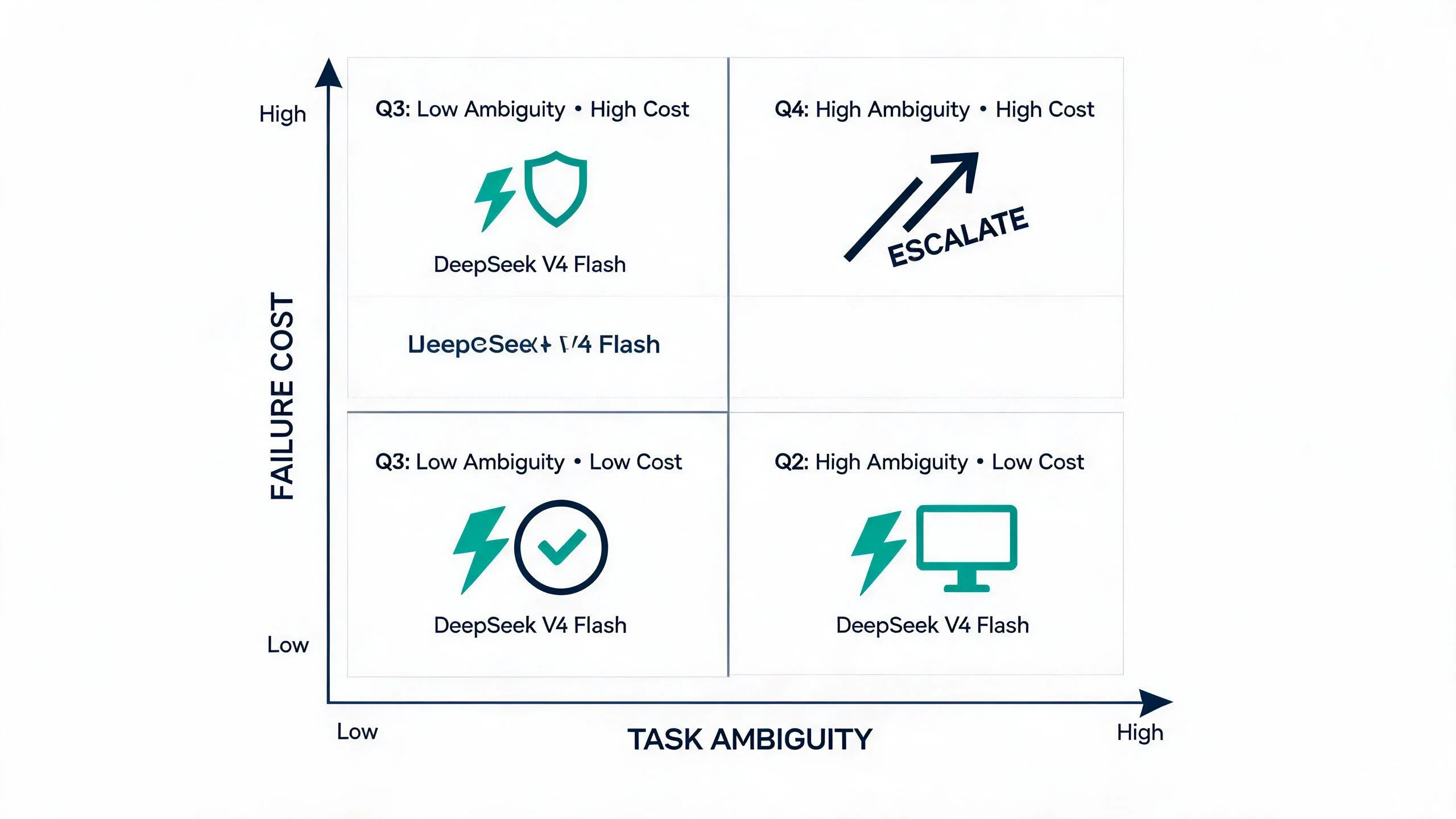
This matrix provides a quick heuristic, but the real routing decision should be data-driven. Track each task’s outcome—validation pass rate, retry count, and human review time—and use those signals to refine where Flash stops and escalation begins.
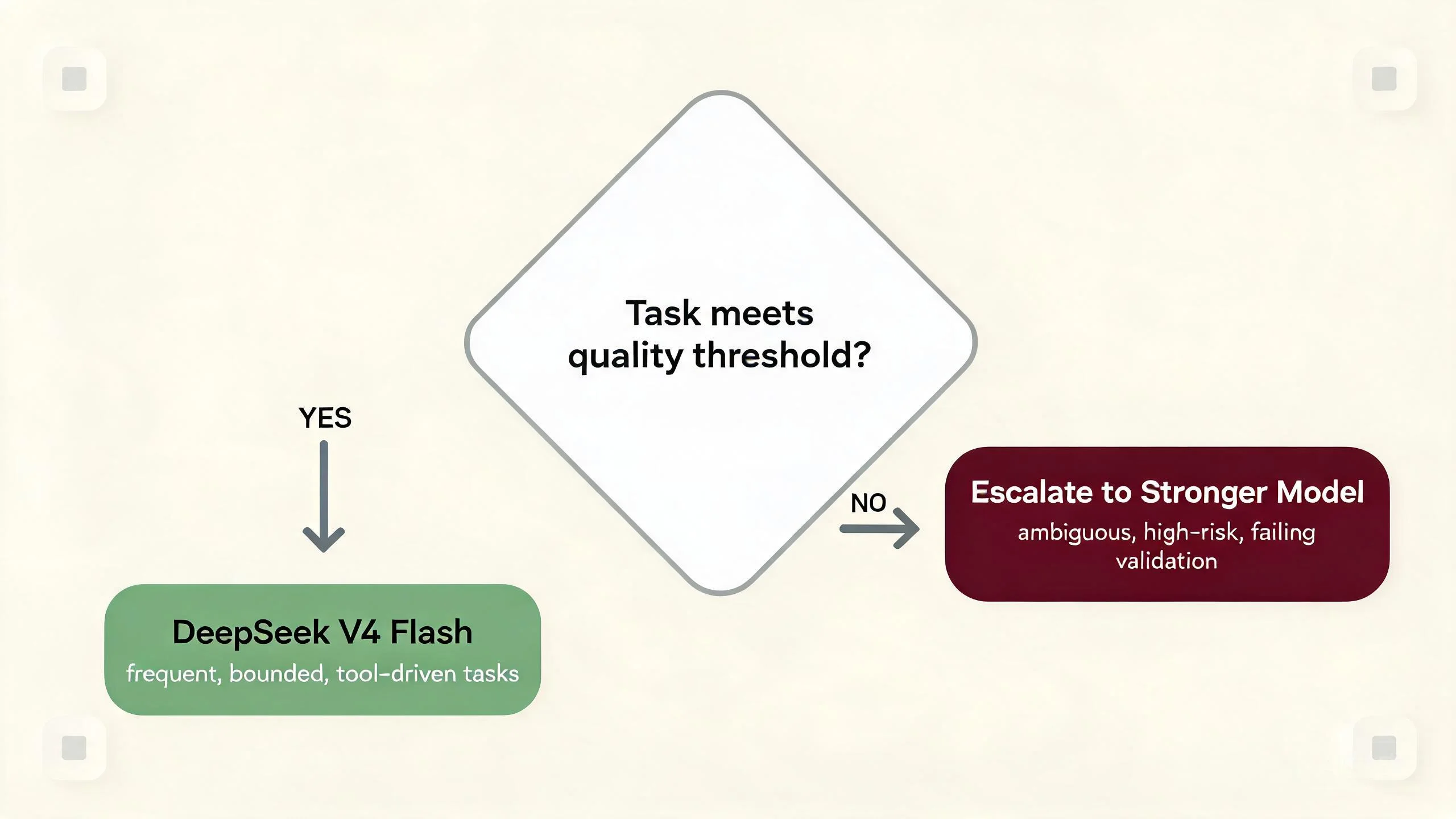
A practical router can begin with Flash and escalate after two failed validation cycles, an uncertainty signal, or a risk-policy trigger. This preserves the cost advantage for routine work without forcing Flash through tasks that another model can complete more reliably.
Do not route based only on prompt length. A 200,000-token repository search may be easy, while a short concurrency bug may demand deeper reasoning. Use task ambiguity, required autonomy, failure cost, and observed validation results as routing features.
The strongest metric is not benchmark score or price per million tokens. It is cost per accepted task:
Cost per accepted task = Total model and tool cost ÷ Number of tasks that pass validation
A cheaper model can become expensive if it generates repeated repairs, consumes unnecessary tools, or requires extensive human review.
How Do Input, Cached Input, and Output Tokens Affect API Cost?
As of August 19, 2026, SiliconFlow pricing for DeepSeek V4 Flash is:
Token Type | Price per 1 Million Tokens |
Input | $0.13 |
Cached input | $0.028 |
Output | $0.28 |
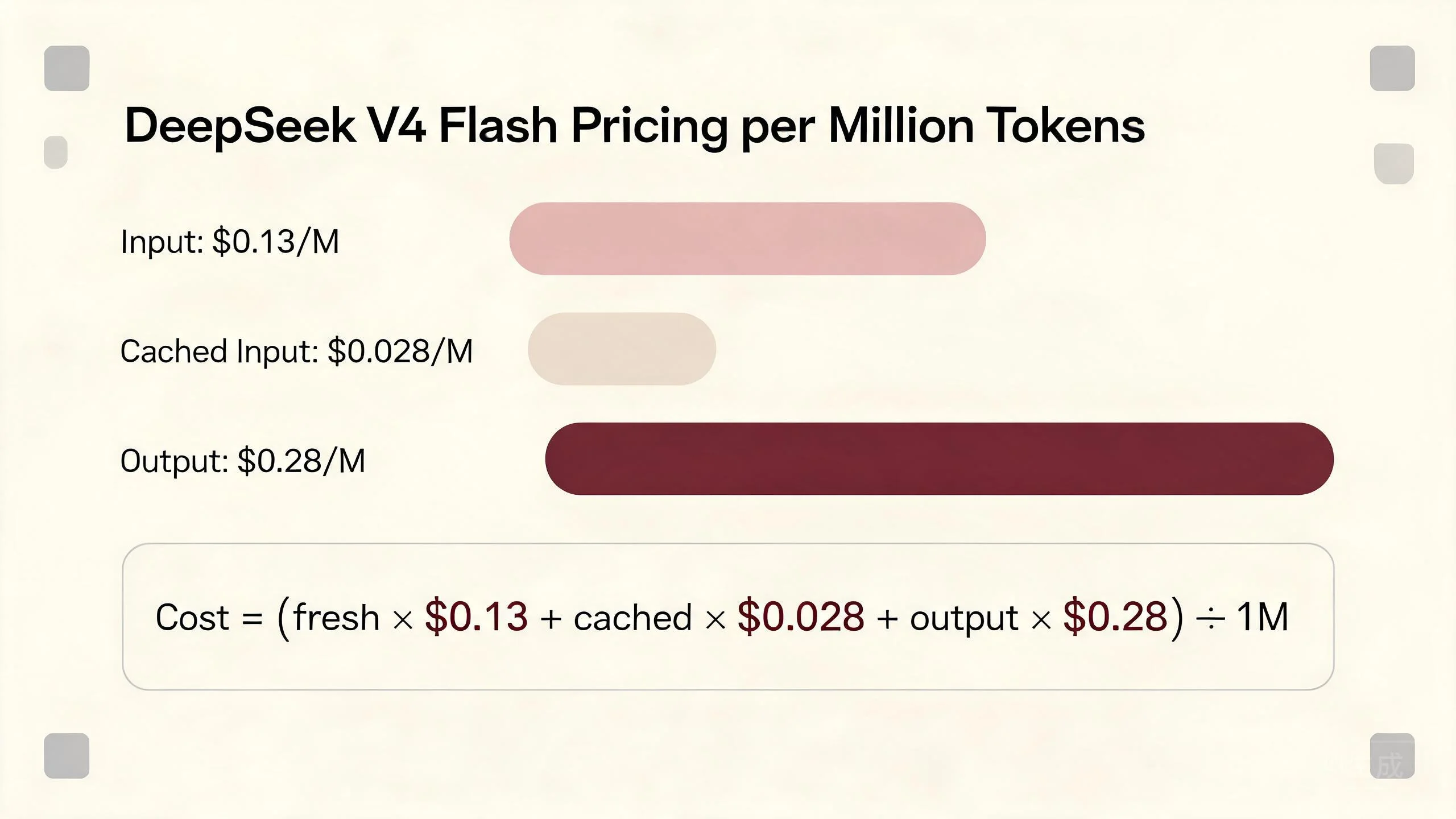
The estimated request cost is:
Cost = (fresh input tokens × $0.13 + cached input tokens × $0.028 + output tokens × $0.28) ÷ 1,000,000
For example, consider a coding-agent request containing:
60,000 fresh input tokens
140,000 cached input tokens
20,000 output tokens
The estimated cost is:
(60,000 × 0.13 + 140,000 × 0.028 + 20,000 × 0.28) ÷ 1,000,000 = $0.01732
This is a hypothetical calculation, not a guaranteed cost for every task. Actual usage depends on the number of agent turns, generated reasoning, tool results, retries, and cache hits.
To increase the chance of reusing cached input, keep stable content in consistent positions. A coding agent can place system instructions, tool definitions, repository conventions, and common project context before frequently changing user requests and tool outputs.
Output should also be controlled. Ask for patches, tool calls, or concise diagnostics instead of lengthy explanations when the workflow does not need them. Because output tokens cost more than fresh input tokens, verbose reasoning can materially change the total cost of a multi-turn agent run.
How to Test DeepSeek V4 Flash on SiliconFlow
Start in the SiliconFlow Playground to inspect the model’s behavior before integrating it into an agent. Test the same coding task under different prompts, context sizes, reasoning settings, and output limits.
For API testing, create an API key and call the OpenAI-compatible Chat Completions endpoint:
The sampling values follow DeepSeek’s recommendation for agentic scenarios, but they are starting points rather than universal defaults.
A useful evaluation set should contain real tasks from your workflow:
A simple localized fix
A multi-file implementation
A failing-test diagnosis
A tool-selection task
A long-context repository question
A task containing misleading or irrelevant files
A task that should be refused or escalated
Measure acceptance rate, test pass rate, invalid tool calls, latency, token usage, retry count, and human review time. Compare complete agent trajectories rather than judging only the first response.
SiliconFlow makes this evaluation easier by providing serverless access, an OpenAI-compatible interface, Playground testing, cached-input pricing, and a broader model catalog behind one platform. Once the evaluation harness exists, the same task set can support routing decisions across models without rebuilding the surrounding agent.
Use DeepSeek V4 Flash When It Meets the Task’s Quality Threshold
DeepSeek V4 Flash should be the default for coding-agent tasks that are frequent, bounded, tool-driven, and easy to validate. Its large context window is useful for repository analysis, while its pricing supports repeated agent loops and high-volume workloads.
Use a stronger model when the task is ambiguous, failure is expensive, or Flash repeatedly misses automated checks. The right deployment strategy is not “Flash for everything” or “always use the largest model.” It is to route each task to the least expensive model that consistently produces an acceptable result.
Test that threshold with your repositories, tools, and acceptance criteria. When Flash passes, keep it. When it fails predictably, escalate.
DeepSeek V4 Flash Coding Agent FAQs
Q1. Is DeepSeek V4 Flash Open Source?
Yes. The released model weights are available under the MIT License, which generally permits commercial use, modification, and redistribution subject to its terms. Hosted DeepSeek V4 Flash API usage must also follow SiliconFlow’s service terms and your organization’s governance requirements.
Q2. Can I Use DeepSeek V4 Flash in VS Code?
Yes. You can configure deepseek-ai/DeepSeek-V4-Flash through the SiliconFlow provider in Continue for VS Code or JetBrains. The Continue integration guide explains how to connect an API key and select the model for chat, editing, or agent workflows.
Q3. Does the SiliconFlow API Remember Earlier Agent Messages?
No. Each Chat Completions request should include the conversation messages required for the next model response. Store agent state in your application, then resend only the instructions, decisions, tool results, and recent exchanges that remain relevant to the task.
Q4. Does Streaming Reduce DeepSeek V4 Flash API Costs?
No. Streaming changes how generated tokens are delivered, not how token usage is priced. It can improve perceived latency and help with long responses. SiliconFlow also recommends considering streaming when non-streaming chat requests encounter transient 503 or 504 service-load errors.
Q5. How Should I Handle a SiliconFlow HTTP 429 Error?
Reduce request volume and inspect the error message to identify whether RPM or TPM was exceeded. Apply queued concurrency, exponential backoff with jitter, and bounded retries. SiliconFlow rate limits operate at the account level and increase across eligible usage tiers.