目錄
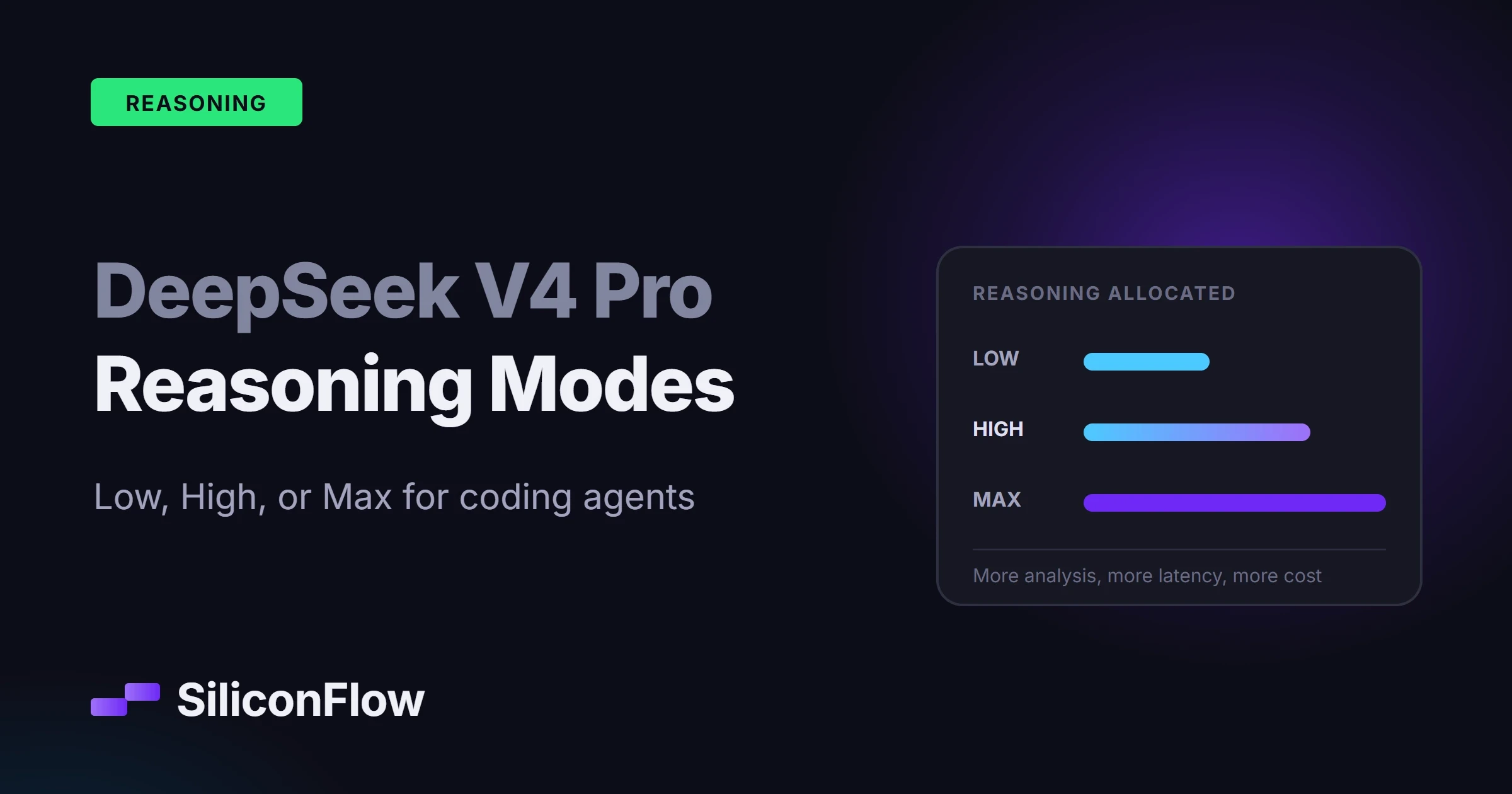
DeepSeek V4 Pro reasoning modes give a coding agent three settings: Low for routine, well-scoped work, High for most multi-step development tasks, and Max for ambiguous or high-impact problems. High is the practical default, but a durable routing policy also weighs task difficulty, verification cost, and the cost of a wrong action. Teams should measure accepted-task quality, latency, and total token spend on their own repositories before they fix any threshold.
What Changed in the DeepSeek V4 Pro 0813 Release?
Released on August 13, 2026, DeepSeek V4 Pro 0813 replaced the preview build with a production-oriented release that targets coding agents, tool use, and longer workflows. The release also introduced DSpark, DeepSeek's agent framework.
DeepSeek reported these improvements over the preview build:
Benchmark | V4 Pro Preview | V4 Pro 0813 | Change |
|---|---|---|---|
Terminal-Bench 2.1 | 72.1 | 87.9 | +15.8 |
DeepSWE | 12.8 | 62.7 | +49.9 |
Toolathlon-Verified | 55.9 | 74.1 | +18.2 |
AutomationBench Public | 12.8 | 31.8 | +19.0 |
These are vendor-reported numbers from the model card, not independent SiliconFlow measurements. The coding-agent evaluations ran in DeepSeek Harness minimal mode at Max reasoning, temperature 1.0, and top_p 0.95. That configuration detail matters. The table describes the model at its highest reasoning setting, so Low and High can produce different quality, latency, and token consumption.
The 0813 release shipped under the model ID deepseek-ai/DeepSeek-V4-Pro-0813. For current API requests, use deepseek-ai/DeepSeek-V4-Pro unless the Model Library in your account lists a different ID. Teams that need repeatable comparisons should record the exact build behind every test run.
What Do Low, High, and Max Reasoning Modes Control?
The three settings control how much inference work the model may spend before it answers or acts. They do not change the model weights, widen the context window, grant extra tool permissions, or guarantee a correct result.
Reasoning level is also not a fixed output-token cap. A Max request does not burn the same number of tokens every time, and a Low request can still return a long answer when the task demands one.
Reasoning level | Practical behavior | Main tradeoff |
|---|---|---|
Low | Prioritizes quick responses for clear, constrained tasks | Lower latency, but less time to resolve ambiguity |
High | Applies more analysis to multi-step coding and agent workflows | Balanced quality, latency, and token use |
Max | Allocates the most reasoning effort to difficult or uncertain tasks | Greater problem-solving capacity with higher latency and cost |
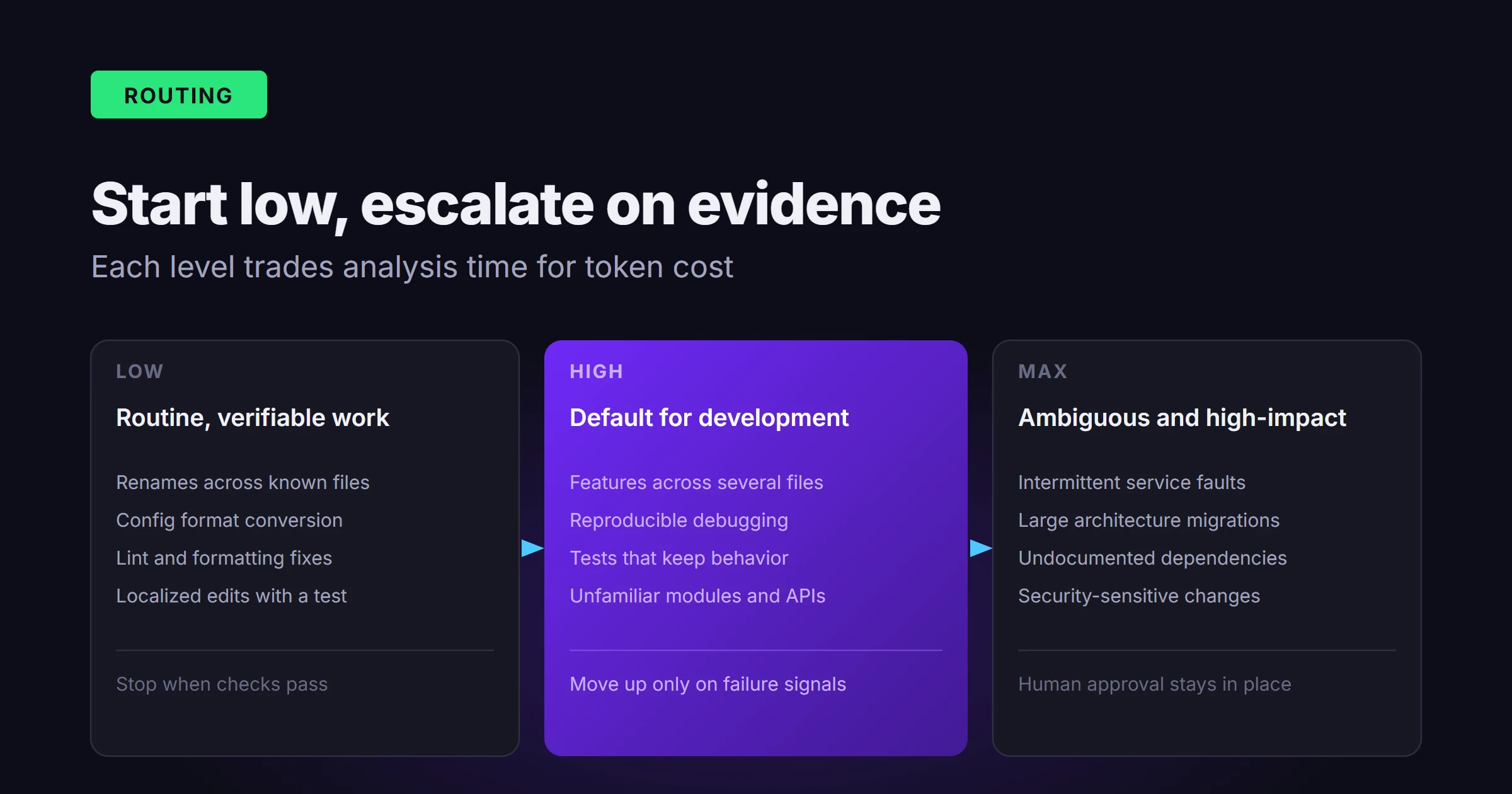
Low generally fits prompts with one obvious path and an objective result. High suits work where the model must inspect several files, call tools, or revise a first attempt. Max earns its cost when the problem hides dependencies, rests on incomplete evidence, or fails expensively.
More reasoning and more context solve different problems. Flooding the prompt with irrelevant repository content lowers signal quality even when the context window can hold all of it.
When Should Coding Agents Use Each Reasoning Level?
A workable routing policy looks at three variables: task complexity, uncertainty, and what an incorrect action costs.
Use Low for Routine, Verifiable Work
Low fits narrow tasks whose result can be checked cheaply:
Renaming a symbol across known files
Converting configuration formats
Generating repetitive tests from an existing pattern
Fixing lint or formatting errors
Explaining a short function
Classifying logs or build failures
Making a localized edit with an exact acceptance test
The agent should still run the relevant formatter, compiler, or test command. Low works here because the path is clear and no extended search through competing hypotheses is needed.
Escalate from Low when the model edits the same area repeatedly, fails a deterministic test, asks for substantially more context, or cannot explain the cause of an error.
Use High as the Default for Development Work
High is a sound starting point for workflows that chain several connected decisions:
Implementing a feature across multiple files
Debugging a reproducible application error
Adding tests while preserving existing behavior
Working with unfamiliar modules or APIs
Reviewing a patch for correctness and maintainability
Using search, shell, test, and code-editing tools in sequence
Updating dependencies with documented migration steps
High usually gives the model room to inspect evidence, form a plan, run tools, and revise a failed attempt without paying the full cost of Max on every call.
On mixed workloads, route to High first and escalate only when observable failure signals appear. That is more reliable than asking users to guess difficulty before the agent has read the repository.
Use Max for Ambiguous or High-Impact Problems
Reserve Max for tasks where deeper analysis could change the outcome:
Diagnosing intermittent or cross-service failures
Planning a large architectural migration
Refactoring code with unclear or undocumented dependencies
Investigating concurrency, memory, or distributed-system defects
Resolving failures after several unsuccessful attempts
Evaluating security-sensitive changes
Working from incomplete specifications or conflicting evidence
Max raises the chance of a useful result, but tests and human review stay mandatory. Security changes, production migrations, destructive database operations, and irreversible tool actions belong behind explicit permission boundaries.
A practical escalation loop looks like this:
Start at Low for deterministic tasks and High for general development.
Validate the result with tests or another objective check.
Step up one level when a failed attempt produces useful diagnostic evidence.
Use Max when deeper reasoning can act on that evidence.
Ask a human when the blocker is missing authority, unclear requirements, or inaccessible systems.
This stops an agent from spending more tokens on a problem that additional reasoning cannot solve.
How Does DeepSeek V4 Pro Handle Tools and Long Coding Tasks?
DeepSeek V4 Pro supports tool calling, a context window of roughly 1.049 million tokens, and up to 393K output tokens on SiliconFlow. Usable capacity still depends on the combined request, endpoint behavior, and account-level limits.
Long coding tasks go better when the agent keeps compact, relevant state:
Retrieve only the files tied to the current hypothesis.
Record decisions, failed attempts, and test results in a short working summary.
Separate planning from tool execution.
Reinspect files after tools modify them.
Run focused tests before the full suite.
Require approval before destructive or production-facing operations.
A long context window reduces the need for aggressive truncation, but it does not fix retrieval quality. Repository maps, symbol search, dependency graphs, and targeted file selection still carry the work.
Tool support also does not mean the model executes anything on its own. The application defines tool schemas, runs the requested operations, returns results, and enforces permissions. A production agent should limit writable paths, apply timeouts, validate arguments, and log every tool action.
Models sometimes emit malformed arguments or pick an unsuitable tool. Treat tool calls as structured proposals, validate them before execution, and return an actionable error message when validation fails.

How to Evaluate DeepSeek V4 Pro on SiliconFlow
Start with a representative task set instead of a general benchmark. Thirty to one hundred tasks give an early signal when they mirror the work the agent will actually do.
The evaluation set can include small deterministic edits, multi-file feature changes, reproducible debugging tasks, tool-heavy repository exploration, long-context work, ambiguous issues that need clarification, and high-impact tasks that require approval.
For each task, record:
Whether the final patch passes its acceptance tests
Whether a reviewer accepts the patch without major revision
Total input, cached-input, and output tokens
End-to-end latency
Number of tool calls
Failed or repeated tool calls
Human intervention required
Cost per accepted task
Cost per accepted task tells you more than token price. A cheap run that keeps retrying can cost more than a successful High-effort run.
The following baseline uses the OpenAI-compatible Chat Completions endpoint and the current API model ID:
The direct DeepSeek API exposes a reasoning_effort parameter with low, high, and max values. Do not copy that provider-specific field into a SiliconFlow request unless the endpoint in your account supports it.
For supported reasoning models, the SiliconFlow Chat Completions API instead provides a thinking_budget parameter with a default of 4,096 and a supported range of 128 to 32,768. The public API reference does not currently define reasoning_effort as an equivalent request field, so the two controls are not interchangeable.
Where the three reasoning modes are selectable in your interface or account configuration, hold every other evaluation variable constant. If your API surface does not expose the labels, use its documented reasoning control and evaluate budget levels separately.
DeepSeek V4 Pro bills uncached input, cached input, and output tokens at different rates. Current pricing for the deepseek-ai/DeepSeek-V4-Pro alias, effective August 26, 2026, is:
Token type | Price per million tokens |
|---|---|
Uncached input | $1.50162 |
Cached input | $0.135 |
Output | $3.135 |
For a hypothetical request with 20,000 uncached input tokens, 80,000 cached input tokens, and 10,000 output tokens:
Input cost = 0.02 x $1.50162 = $0.0300324
Cached cost = 0.08 x $0.135 = $0.0108
Output cost = 0.01 x $3.135 = $0.03135
Estimated total = $0.0721824, or about $0.0722
Treat that figure as an illustration, not a forecast for a typical coding task. Cache eligibility, generated volume, retries, and reasoning behavior all move the real number. Prompt caching usually changes the input side of the bill far more than the output side.
The dated -0813 build carries its own rates, and they can differ from the alias. Check the DeepSeek V4 Pro model page for the exact ID you call before you build a budget around it.

DeepSeek V4 Pro Reasoning FAQs
Does DeepSeek V4 Pro Support JSON Mode on SiliconFlow?
Yes. JSON Mode works on SiliconFlow, while schema-enforced Structured Outputs are not currently supported for this model. Applications should still validate required fields, data types, permitted values, and error cases before they trust generated data.
Can DeepSeek V4 Pro 0813 Be Self-Hosted?
Yes. DeepSeek V4 Pro 0813 ships under the MIT License, and its model card includes deployment guidance for frameworks such as vLLM and SGLang. Weigh the hardware, memory, serving, monitoring, and operations load before choosing self-hosting over managed inference.
Can a DeepSeek V4 Pro Coding Agent Analyze Screenshots?
No. The model currently accepts text input rather than image input on SiliconFlow. For screenshot-based coding work, use a vision model to pull the relevant interface details, then pass that text and the code context to DeepSeek V4 Pro.
Should an Agent Retry a Failed Task With Max Reasoning?
Only when the first attempt produced useful diagnostic evidence. Max cannot repair missing permissions, absent dependencies, or unclear requirements. Set retry limits, keep the error output, and route to a human when the agent lacks information or authority instead of raising reasoning again.
Match Reasoning Effort to Task Difficulty and Total Cost
The three DeepSeek V4 Pro reasoning modes trade quality against latency and cost: Low fits narrow tasks with cheap verification, High is the practical default for multi-step development, and Max pays off on ambiguous or high-impact work.
The policy that holds up is evidence-based escalation: begin at the lowest reasonable level, validate the result, and raise reasoning only when the failure reveals something deeper analysis can address. Compare levels on accepted-task rate, latency, retries, tool behavior, and total cost rather than benchmark scores or per-token price alone.
Keep deployment details separate from the direct DeepSeek API. Verify the active model ID, use the parameters your SiliconFlow endpoint supports, check current pricing before production, and re-check the model page whenever aliases, builds, or rates change.